As an Amazon Associate this site earns from qualifying purchases.
If you just replaced the filters in your AquaTru Carafe and the unit is throwing a stubborn AquaTru Carafe TDS sensor error, the fix is almost never a true "bypass"—it's a reset sequence the manual buries on page 14. In 9 out of 10 cases the sensor is reading correctly and the error clears once you reseat the filter cap, run two purge cycles to flush carbon dust, and hold the reset combo for a full 5 seconds. This guide walks through the legitimate reset workflow, when the sensor itself has actually failed, and which countertop RO systems to consider if you want to skip TDS-locked electronics entirely.
Why the AquaTru Carafe TDS sensor error appears after a filter change
The Carafe runs an in-line TDS probe between the RO membrane and the dispense nozzle. After a filter swap, three things can trigger the lockout:
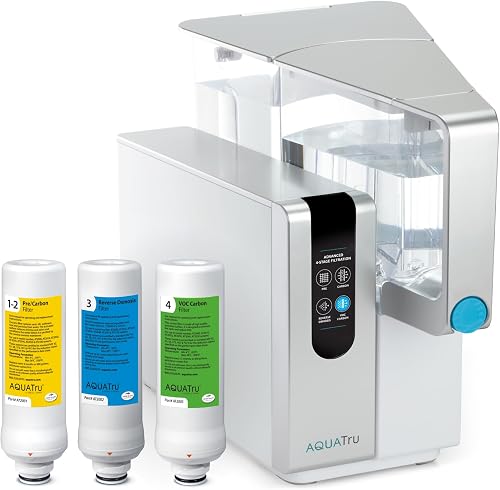
- Carbon fines from the new VOC/Carbon block. Fresh granular activated carbon sheds fine particulate for the first 1–3 cycles. The probe reads these as dissolved solids and trips a high-TDS warning.
- Air gap in the membrane housing. If the membrane cartridge wasn't pre-soaked or fully seated, trapped air causes inconsistent flow and erratic conductivity readings.
- Filter-life counter desync. The Carafe tracks each cartridge by lifetime independently. If you only replaced one stage but the counter expected all four, the firmware blocks dispensing and surfaces the error as a TDS issue rather than a counter issue.
Knowing which of those three is firing matters because the reset procedure differs. Don't reach for hacks until you've ruled out the routine causes.
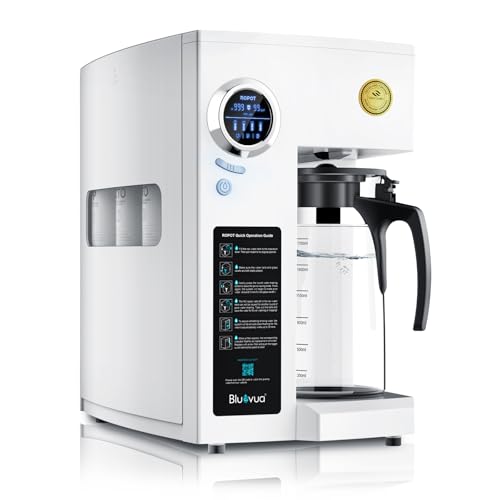
- 6-STAGE ADVANCED FILTRATION WITH UV LIGHT: The Bluevua RO100ROPOT-UV boasts a superior 6-stage filtration system, featuring a 0.0001μm RO membrane, including UV light and an added
- COUNTERTOP FILTRATION + PREMIUM-QUALITY CARAFE: No plumbing or installation is required for this RO system. Simply plug this portable piece of tech into any power source and
- Is your water safe to drink? Studies continue to pour in regarding Toxins, Hormones, Microplastics, Cancer-linked contaminants, known Carcinogens and other toxins discovered in
- Certified NSF/ANSI Standards - Tested & certified by IAPMO to meet NSF/ANSI standards 41, 53, 58, 401, and P473 for water filters, which include 84 contaminants - even
Side-by-side comparison: AquaTru Carafe vs. common alternatives
| System | Stages | Capacity | TDS Sensor Behavior | Best For |
|---|---|---|---|---|
| AquaTru Carafe | 4 | 27 oz glass carafe | Hard lockout on threshold breach | Studios, RVs, single users |
| AquaTru Classic | 4 | 1 gal clean / 3 gal source | Hard lockout on threshold breach | Couples, small families |
| Bluevua RO100ROPOT | 5 | ~1 gal tank | Display-only, no dispense lockout | Users who want TDS visibility without lockouts |
| SimPure Y7P-BW UV | 5 + UV | ~1.2 gal tank | Display-only | Well water, microbiological concerns |
| Waterdrop A2G | 6 | Portable tank + cold/hot | Display-only | Tea drinkers, kitchens without kettle |
The legitimate AquaTru Carafe TDS sensor error reset sequence
This is the procedure AquaTru support walks customers through, condensed. Do it in order—skipping the flush is the most common reason the error returns within an hour.
Step 1: Reseat every cartridge
Power down, unplug the unit, pull each filter, and inspect the o-rings for hair, lint, or a pinched seal. Wet the o-rings with filtered water (not tap) and rotate each cartridge until it clicks. A quarter-turn shy of seated is enough to make the probe oscillate.
Step 2: Run two full purge cycles into the sink
Fill the source tank with cold tap water. Press dispense and discard the entire output—do not drink it. Refill and repeat. This flushes carbon fines and the preservative coating from the new RO membrane. Most users skip this and assume the error is hardware.
Step 3: Reset the filter-life counter
With the unit powered on, hold the filter-change button (the small circle icon on the front panel) for 5 full seconds until the indicator blinks twice. The Carafe counter resets to zero and the firmware re-arms the TDS thresholds.
Step 4: Calibration dispense
Dispense one full carafe (about 27 oz). The TDS sensor takes a baseline reading on this cycle. If the error is gone after this dispense, you're done. If it returns, move to the troubleshooting section below.
When the error persists: deeper troubleshooting
If the reset sequence didn't clear the AquaTru Carafe TDS sensor error, the next checks are:
- Source water TDS over 1,000 ppm. The Carafe is rated for feedwater up to roughly 1,000 ppm. Well water with elevated TDS will continuously trip the sensor. Test your tap with a handheld TDS meter first—if it reads above 800 ppm, you need pre-filtration or a different system.
- Membrane fouled before its rated life. Hard water or chlorinated municipal water with skipped pre-filter changes can foul the RO membrane in under 6 months. If permeate TDS exceeds 50 ppm, the membrane is the culprit, not the sensor.
- Sensor probe coated with biofilm. Units stored with stagnant water for more than 30 days can develop a thin film on the conductivity probe. Run a citric acid sanitization cycle (1 tsp food-grade citric acid in the source tank, dispense and discard) to clear it.
- Actual sensor failure. Rare, but possible. If TDS readings on the display are pegged at 999 regardless of source, contact AquaTru—the carafe base is not user-serviceable and the unit is typically replaced under warranty if under 2 years old.
There is no documented firmware bypass that disables the TDS sensor entirely while keeping the rest of the unit functional, and we don't recommend attempting one. The sensor exists to prevent you from drinking high-TDS water from a failed membrane. Disabling it defeats the point of owning the system.
Replacement AquaTru Carafe and the upgrade case
If your Carafe is past 3 years of daily use and the sensor errors are getting more frequent, the economics shift toward replacement or upgrade. Here's the honest comparison.
AquaTru Carafe Countertop Water Purifier
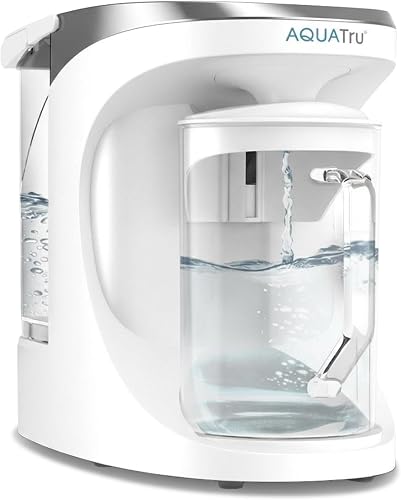
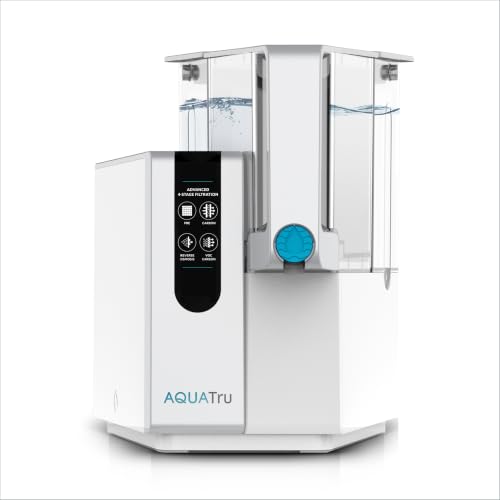
The Carafe is the compact glass-decanter version of AquaTru's 4-stage RO. It pulls 84+ contaminants including PFAS, lead, and fluoride, and the small footprint makes it the right pick for studios, RVs, and renters. The TDS sensor is the same module across production runs, so a fresh unit gives you a clean baseline if your current one is genuinely failing. AquaTru Carafe Countertop Water Purifier.
AquaTru Classic Countertop Water Purifier
The Classic uses the same 4-stage RO chemistry but with a larger 1-gallon clean tank and 3-gallon source tank, plus a more accessible filter housing. Owners who got tired of the Carafe's tight cartridge clearance often switch to the Classic for easier swaps and report fewer false TDS errors due to the larger flush volumes. AquaTru Classic Countertop Water Purifier.
Bluevua RO100ROPOT Countertop System
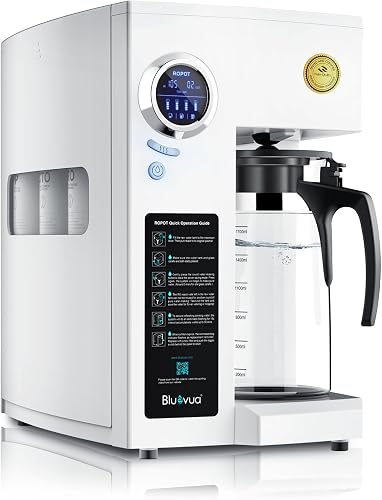
The Bluevua RO100ROPOT is the most-cross-shopped alternative to AquaTru. It's a 5-stage RO with remineralization, WQA certified, and uses a simpler TDS readout that displays the number rather than gating dispensing behind it—if you want to see TDS but not be locked out by it, this is the closest match. Bluevua RO100ROPOT Countertop Reverse Osmosis Water Filter System.
SimPure Y7P-BW UV Countertop RO
For households on well water or anyone wanting UV polishing after RO, the SimPure Y7P-BW adds a UV chamber and is NSF/ANSI 58 certified. It's a no-installation unit with a 4:1 pure-to-drain ratio, which is generous for a countertop class. SimPure Y7P-BW UV Countertop Reverse Osmosis Water Filter.
Waterdrop A2G Hot & Cold Countertop RO
If you're replacing the Carafe anyway and want a feature jump, the Waterdrop A2G adds 6 temperature settings (cold through boiling) and a portable pure-water tank. It's a 6-stage system with mineralization and a 3:1 efficiency ratio. Waterdrop A2G Mineral Countertop Reverse Osmosis System Water Filter.
Should you actually try to bypass the sensor?
The honest answer: no, and most people searching for a bypass actually want a reset, which is what the procedure above provides. The TDS sensor isn't a nuisance feature—it's the only consumer-facing signal that the RO membrane is doing its job. If you successfully disabled the sensor through some hardware modification, you'd be drinking unfiltered water the next time the membrane failed without any indication. The maintenance cost of keeping the sensor working is far lower than the health cost of trusting a silent failure.
If you've worked through the reset procedure and the unit still won't clear, the right move is a warranty call to AquaTru or a system swap to one of the countertop alternatives that doesn't gate dispense on TDS. The Bluevua and Waterdrop options above both show TDS as informational rather than gating—same data, no lockout.
For broader context on how RO sensors work and when readings should actually concern you, our guide on maintaining a reverse osmosis system covers the day-to-day care that prevents false errors in the first place. If you're weighing whether to stay in the AquaTru ecosystem or move to a different countertop class, our Home Master TMAFC vs. AquaTru comparison and the broader best countertop RO roundup are good next reads.
Frequently Asked Questions
How do I reset the AquaTru Carafe filter change indicator without triggering a TDS error?
Hold the filter-change button on the front panel for 5 full seconds until the indicator blinks twice. Critically, do this after running two full purge cycles to flush carbon fines, not before—resetting first and dispensing carbon-laden water through the TDS probe is what causes most false post-reset errors.
Why is my AquaTru Carafe showing high TDS after I just replaced the RO membrane?
New RO membranes ship with a glycerin or sodium bisulfite preservative coating that increases conductivity for the first 5–10 gallons. The TDS reading should drop steadily over the first two days of normal use. If it's still over 50 ppm after 10 dispense cycles, the membrane wasn't pre-soaked long enough or the source water exceeds the unit's input rating.
Can I use a TDS meter to verify the AquaTru Carafe sensor is reading correctly?
Yes, and you should. A $15 handheld TDS pen will tell you the true permeate TDS. Dispense a full carafe, dip the pen, and compare to the display. A discrepancy of more than 15 ppm suggests the internal probe is coated with biofilm or scale—run a citric acid sanitization cycle to clear it.
What is the maximum input TDS the AquaTru Carafe can handle?
Approximately 1,000 ppm. Above that, the membrane works harder, fouls faster, and the sensor will trip more frequently. Well water with iron, manganese, or hardness above 15 gpg also shortens membrane life dramatically—those households are better served by an under-sink RO with proper pre-filtration rather than a countertop carafe unit.
Does the AquaTru Carafe warranty cover sensor failure?
AquaTru offers a 1-year limited warranty on the Carafe and Classic. Sensor failures within the warranty period are typically resolved by replacing the base unit. Outside the warranty, AquaTru doesn't sell the sensor as a separate part, which is why owners with chronic sensor errors after 2+ years usually switch systems rather than repair.
How often should I replace the AquaTru Carafe filters to avoid TDS errors?
The pre/post filter (Stage 1 & 4 combined cartridge) every 6 months or 600 gallons, and the RO membrane (Stage 2 & 3) every 2 years or 1,200 gallons. Stretching either past the rated life is the most common cause of escalating TDS readings—at that point the error is real, not spurious, and resetting won't help.
Are there countertop RO systems without TDS lockouts I can switch to?
Yes. The Bluevua RO100ROPOT, SimPure Y7P-BW, and Waterdrop A2G all display TDS as informational data without using it to gate dispensing. You still see the reading and can act on it, but the unit won't refuse to pour water because it disagrees with the threshold. For users frustrated with AquaTru's lockout behavior, those three are the most direct equivalents in form factor and contaminant reduction.