As an Amazon Associate this site earns from qualifying purchases.
The Waterdrop D6 error code E1 blinking light fix comes down to one thing nine times out of ten: the tankless unit is not seeing enough incoming water pressure to run its internal booster pump. On the D6, the E1 alarm with a slow-blinking indicator is a low-pressure / no-flow fault at the inlet side of the pump. The controller deliberately stops the pump to protect it, then flashes the warning so you know to investigate. To clear it: fully open the feed-water angle stop, check for kinked 1/4-inch or 3/8-inch tubing, inspect and clean the inlet strainer, change any clogged sediment or carbon pre-filter, then unplug the unit for 60 seconds to reset the controller. The rest of this guide walks you through each step in order and explains what to do if E1 keeps coming back.
What the E1 code and blinking light actually mean
The Waterdrop D6 (and most Waterdrop tankless models that share the same controller family) has a low-pressure switch wired in line just before the booster pump. When you open the smart faucet, the controller commands the pump to start and watches the switch. If the switch does not close within a few seconds because incoming pressure is below roughly 14.5 psi (1 bar), the controller cuts power to the pump and triggers E1. The blinking pattern is normally a slow, even blink on the alarm LED, sometimes paired with a red ring around the faucet or a beep every few seconds.
In plain English: your D6 is telling you it tried to make RO water but the inlet starved. That is almost always upstream of the unit, not inside the membrane housing. Treat E1 as a plumbing and pre-filter problem first, and an electronics problem only after you have ruled the easy stuff out.
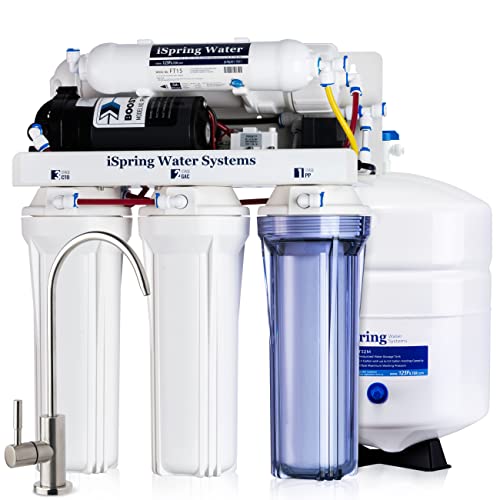
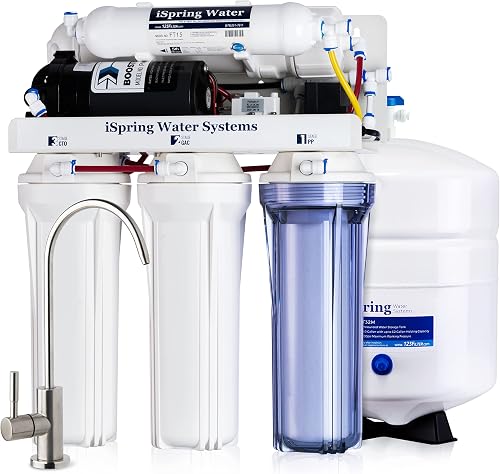
- Reverse Osmosis produces purified drinking water by pressurizing water molecules through RO membrane and leaving impurities out. The under sink water filter RCC7P’s extremely
- High Efficiency Reverse Osmosis system for safer, healthier and on-demand drinking water. This under sink mounted water filter and the best water softener
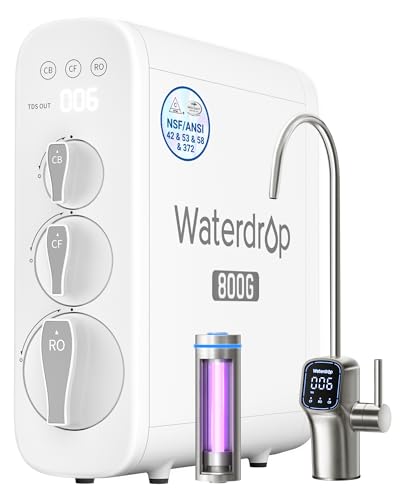
- [10-Stage filtration] Tested by official third-party laboratory (SGS), through 10-stage filtration, G3P800 can effectively reduce PFAS, fluoride, heavy metals like lead, chromium
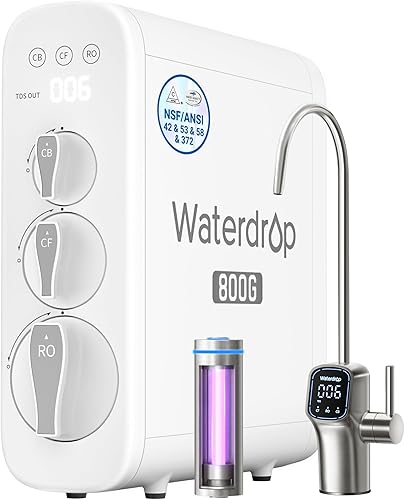
- [800 GPD high capacity, 3:1 pure to drain ratio] The Waterdrop G3P800 reverse osmosis system offers a higher water capacity (800 gallons per day), thereby meeting demands of a big
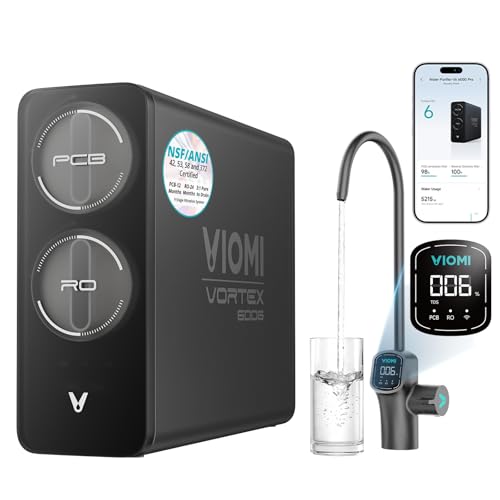
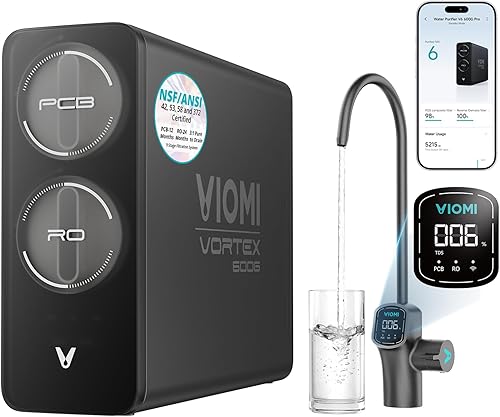
- [Flexible Installation & Refrigerator Compatibility] Need filtered water for your fridge or ice maker? Viomi V6 Pro reverse osmosis water filtration system can supply purified
- [Protecting What Matters Most: Certified Pure Water] The
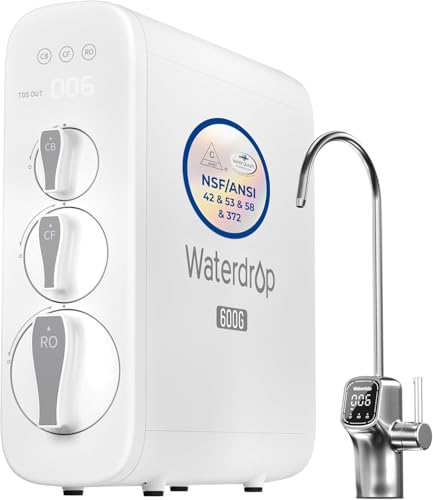
- [Trusted certifications]: Waterdrop G3P600 reverse osmosis system is certified against NSF/ANSI 58 for TDS reduction and NSF/ANSI 372 certified for lead-free material. Also it has
- [8-stage filtration]: Tested by official third-party laboratory (SGS), the reverse osmosis system can effectively reduce TDS, chromium, PFAS, radium, fluoride, arsenic salt, iron
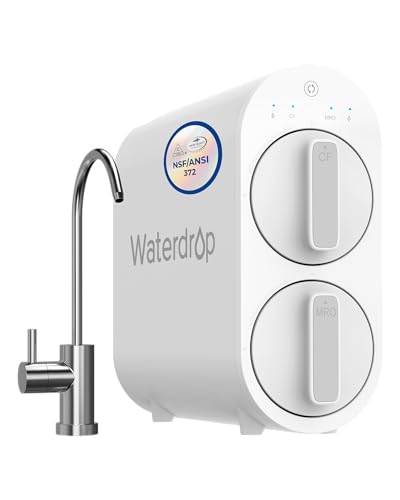
- [NSF/ANSI 372 Certified] 400 GPD & 1:1 low drain ratio & Tankless Design & Easy installation. Two filters are included in the package. Search "Waterdrop G2CF" and ''Waterdrop
- [400 GPD & 1:1 pure to drain ratio] The Waterdrop G2 reverse osmosis system offers a fast water flow rate of up to 400 GPD. Get a cup of filtered water in about 12 seconds
Upgrade or replacement options if your D6 is past its lifespan
If your Waterdrop D6 has been throwing E1 repeatedly, is out of warranty, and the solenoid or pump is the issue, swapping to a current-generation tankless can be cheaper than parts and labor. These are the tankless under-sink systems we recommend most often as direct replacements, plus one option with a dedicated booster pump for owners whose root cause is low incoming pressure. For a broader buying framework, see our 2026 under-sink RO guide.
Comparison: tankless RO replacements for the Waterdrop D6
| System | GPD | Pure-to-drain | Best for |
|---|---|---|---|
| Waterdrop G3P600 | 600 | 2:1 | Closest like-for-like swap, same ecosystem |
| Waterdrop G3P800 | 800 | 3:1 | Larger households, lower waste ratio |
| Waterdrop G2 | 400 | 1:1 | Budget tankless, no fancy LED faucet |
| VIOMI V6 Pro | 600 | 3:1 | Cross-brand swap, smart faucet |
| iSpring RCC7P | 75 (tanked) | n/a | Owners whose root cause is low feed pressure — built-in booster pump |
Step-by-step Waterdrop D6 error code E1 blinking light fix
Work through these in order. Most homeowners stop the alarm at step 3 or step 5.
1. Confirm the unit has power and the fault is actually E1
Press the smart faucet button. If the unit chirps and the alarm LED blinks the slow E1 pattern (rather than a fast E2 or E3 pattern, which point to TDS or filter-life issues), you are in the right troubleshooting tree. If the display is dark entirely, the problem is the power adapter or the outlet, not E1.
2. Fully open the feed-water angle stop
Reach under the sink and follow the cold-water riser. The Waterdrop tee adapter feeds off the cold supply through a 1/4-turn ball valve or an angle-stop. Make sure the handle is parallel to the tubing (fully open). It is shockingly common for a plumber or housecleaner to bump it half-closed. Half-closed is enough to throw E1 every time.
3. Check the inlet tubing for kinks and crushed sections
Pull the unit out from under the sink a few inches and trace the inlet line from the angle stop into the back of the D6. Look for kinks behind the disposal, a sharp bend where the line crosses the cabinet floor, or a spot where a pot has been resting on top of the tube. A kink that looks minor will absolutely starve the booster pump. Straighten any kink and, if the tubing has a permanent crimp mark, cut the damaged inch off and reseat the line in the quick-connect.
4. Clean the inlet strainer / mesh screen
The D6 has a small mesh filter at the inlet quick-connect to keep grit out of the pump. Close the feed valve, press the collet and pull the inlet line out, then look for a small white or clear screen. Rinse it under the tap. If you live on well water or have galvanized pipes upstream, this screen clogs fast and is a common silent cause of E1.
5. Check the pre-filter for clogging
A loaded sediment/carbon composite pre-filter is the single most common ongoing cause of E1 once the unit has been in service for 6–12 months. Press the filter button on the front of the D6 and check the indicator. If the front-stage filter shows 20% or less remaining (or red), swap it. Even at 30–40% remaining, a unit on hard or sediment-heavy water can choke down enough that the inlet pressure drops below the switch threshold during pump start-up and trips E1. When in doubt, change it. The cartridge is designed for tool-free twist-out.
6. Verify house water pressure
Screw a $10 hose-bib gauge onto an outdoor spigot or laundry tap. The D6 specs require roughly 14.5–87 psi at the inlet. If your static pressure reads under 30 psi, especially on a well system between pump cycles, the D6 will throw E1 every time the pressure tank gets low. The fix there is not the RO unit — it is a pressure tank or pump pressure switch adjustment, or an added booster pump on the cold supply.
7. Reset the controller
Once you have addressed the suspected cause, unplug the D6 from the wall outlet, wait a full 60 seconds, and plug it back in. The controller re-arms the low-pressure switch logic on power-up. Open the faucet and listen for the pump to spool up smoothly. If the alarm clears and water flows, you are done. If E1 returns within a few seconds, go back to step 3.
8. Suspect a stuck inlet solenoid (last)
If the upstream plumbing is perfect, the pre-filter is fresh, and house pressure is healthy, the inlet solenoid valve inside the D6 may be sticking shut. You can usually hear a faint click when the unit tries to start. No click for several seconds, then E1, points to a solenoid or controller board fault and is a warranty call to Waterdrop USA support rather than a DIY fix. Have your serial number and proof of purchase ready.
When the E1 keeps coming back every few weeks
If you keep clearing E1 and it keeps returning, your water chemistry or your house plumbing is the real issue, not the RO unit. Three patterns are worth knowing about:
- Heavy sediment or iron load — the carbon-composite pre-filter loads up in weeks instead of months. Add a 5-micron whole-house sediment pre-filter upstream of the RO. See our RO maintenance guide for cartridge-life math.
- Marginal incoming pressure — well systems often dip into the low 20s of psi between pump cycles. A small booster pump or pressure tank tune-up usually solves it; a few RO models also have integrated boosters and tolerate weak supply better.
- Bad solenoid — if the unit is out of warranty and the solenoid is the culprit, many owners replace the whole tankless rather than spend on a board-level repair.
Waterdrop G3P600 — closest direct replacement
If you liked the D6 form factor and the smart-faucet workflow, the G3P600 is the natural upgrade path. Same tankless architecture, refreshed control board, NSF/ANSI 42, 53, 58 and 372 certifications, and an 8-stage filter stack. The G3P600 also has a more forgiving low-pressure tolerance than the original D6 controller, which matters if marginal supply pressure was what was tripping your E1.
Waterdrop G3P600 Reverse Osmosis System
Waterdrop G3P800 — if you want more flow and less waste
800 GPD with a 3:1 pure-to-drain ratio is meaningful for larger families and for anyone whose municipal water bill made the D6's waste ratio feel painful. Same Waterdrop ecosystem, same filter-change tool-free design, smart LED faucet included.
Waterdrop G3P800 Reverse Osmosis System
Waterdrop G2 — budget tankless swap
If you just want clean water back at the faucet without spending big, the G2 is the entry-level Waterdrop tankless. 400 GPD, 1:1 pure-to-drain, no LED faucet, 7-stage filtration. It will not solve a marginal incoming-pressure problem any better than the D6 did, but it is the cheapest plug-and-play replacement in the Waterdrop family.
Waterdrop G2 Reverse Osmosis System
VIOMI V6 Pro — cross-brand alternative
If you are tired of the Waterdrop platform after a repeat E1 saga, the VIOMI V6 Pro is the cleanest cross-brand swap. 600 GPD tankless, 9-stage filtration, 3:1 pure-to-drain, NSF/ANSI 42, 53, 58, 372 certifications, and a smart LED faucet. The control board is a different family from Waterdrop's, so if you suspect the D6 controller specifically was your problem, this is a clean reset.
VIOMI V6 Pro Reverse Osmosis System
iSpring RCC7P — the right answer if low pressure is your real problem
If your house water pressure is genuinely weak (well system, second-floor kitchen, long horizontal run from the meter), no tankless RO will be happy. The iSpring RCC7P is a traditional tanked 5-stage RO with a built-in booster pump that pushes the feed-water through the membrane regardless of weak incoming pressure. It is not as flashy as a Waterdrop, but it is the tool for the job when E1 was really a plumbing symptom in disguise.
For broader context on choosing between tankless and tanked architectures after a failure, see our overview of how to choose the right reverse osmosis system.
Frequently Asked Questions
What does E1 mean on a Waterdrop D6 tankless RO system?
E1 is the low feed-water pressure / no-flow fault. The internal low-pressure switch did not sense at least about 14.5 psi at the inlet when the controller tried to start the booster pump, so the controller shut the pump down and lit the E1 alarm with a slow-blinking indicator. It is almost always upstream — closed valve, kinked tube, dirty pre-filter, weak house pressure.
How do I reset the Waterdrop D6 after fixing the E1 cause?
Unplug the unit from the wall outlet, wait a full 60 seconds, then plug it back in. The controller re-arms on power-up. Open the smart faucet and listen for the booster pump to ramp up smoothly. If E1 returns within a few seconds, the underlying cause is not actually fixed yet — go back and recheck the pre-filter, inlet strainer, and angle-stop valve.
Can a clogged pre-filter really trip the E1 error?
Yes — this is the single most common ongoing cause of repeat E1 alarms. A loaded sediment or carbon block pre-filter restricts flow enough that when the booster pump starts and tries to pull water, the pressure on the suction side drops below the low-pressure switch threshold. The controller reads that as "no incoming water" and trips E1. Replacing the pre-filter cartridge usually clears it instantly.
What is the minimum feed water pressure for a Waterdrop D6?
The D6 (and most Waterdrop tankless RO units) wants roughly 14.5 to 87 psi of incoming pressure, with around 40–60 psi being the comfortable operating range. Below 30 psi static, especially on well systems that dip between pump cycles, expect intermittent E1 even with brand-new filters. The fix is a booster pump or a pressure tank tune-up upstream of the RO.
Is the E1 light the same as the filter-replacement light on the Waterdrop D6?
No. The filter-replacement indicator is a steady amber or red icon next to a filter-stage symbol on the front display. The E1 alarm is a separate fault LED that blinks slowly and is often paired with a beep every few seconds. Both can be on at the same time — in fact, an exhausted pre-filter is a leading cause of E1 — but they are independent signals.
How long should I wait before unplugging the D6 to reset it?
A full 60 seconds with the power cord physically pulled. The controller has capacitors that hold state for several seconds after power-down; a quick five-second reboot often does not actually clear the fault flag. One full minute unplugged is the reliable reset interval.
Should I call Waterdrop support or replace the unit when E1 will not clear?
If your D6 is still under its manufacturer warranty (typically one to three years depending on registration), call Waterdrop USA support before doing anything else — especially if you have already ruled out closed valves, kinks, dirty pre-filters, and low house pressure. If the unit is well out of warranty, the booster pump or solenoid is the likely culprit and replacement is usually more economical than board-level repair. The Waterdrop G3P600 is the natural upgrade path and the VIOMI V6 Pro is the cleanest cross-brand swap.