As an Amazon Associate this site earns from qualifying purchases.
If your Waterdrop G3 P600 high TDS after filter change reading is suddenly 80, 120, or even 200+ ppm when it used to be under 30, don't panic — in 9 out of 10 cases this is normal break-in behavior, not a broken membrane. New carbon and remineralization cartridges shed loose media for the first 20–40 gallons, the RO membrane needs a wet-out cycle, and trapped air can cause the smart faucet's TDS sensor to misread by 50–150%. The fix is a controlled flush sequence: run 6–10 tanks to drain, verify filter seating, and confirm whether you installed a post-carbon remineralization stage (which is supposed to raise TDS). Below is the exact diagnostic ladder I walk customers through, plus when high readings actually mean you need a new membrane or a different system.
Why TDS spikes right after a filter swap on the G3 P600
The Waterdrop G3 P600 uses an 8-stage tankless layout: sediment PP cotton, two pre-carbon blocks, the RO membrane, and post-carbon polishing stages. When you swap any of the carbon cartridges (the CF or MRO modules), three things happen at once that drive the TDS meter on the smart faucet upward.
First, fresh activated carbon contains fine carbon dust and a small amount of loose mineral residue from manufacturing. This residue dissolves into the first 5–15 gallons that pass through, raising conductivity. Second, the membrane stage gets brief exposure to higher feed-side pressure as the new cartridges seat, which can momentarily reduce rejection ratio. Third — and this is the one that catches most owners — if your replacement included the post-carbon mineralization filter, it is engineered to add calcium and magnesium back into the permeate. That intentionally raises TDS by 30–80 ppm and is not a malfunction.
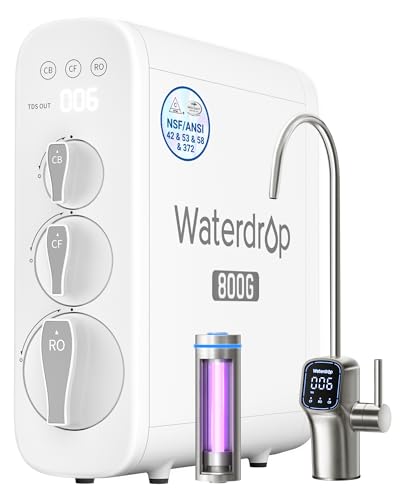
- [10-Stage filtration] Tested by official third-party laboratory (SGS), through 10-stage filtration, G3P800 can effectively reduce PFAS, fluoride, heavy metals like lead, chromium
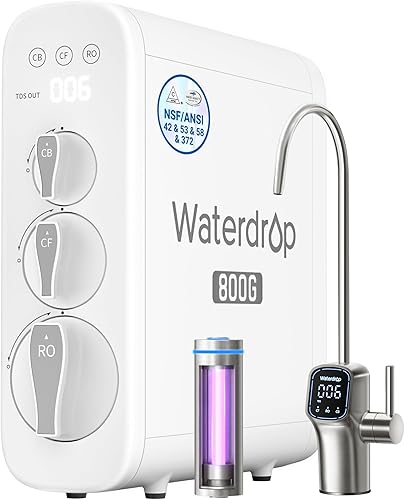
- [800 GPD high capacity, 3:1 pure to drain ratio] The Waterdrop G3P800 reverse osmosis system offers a higher water capacity (800 gallons per day), thereby meeting demands of a big
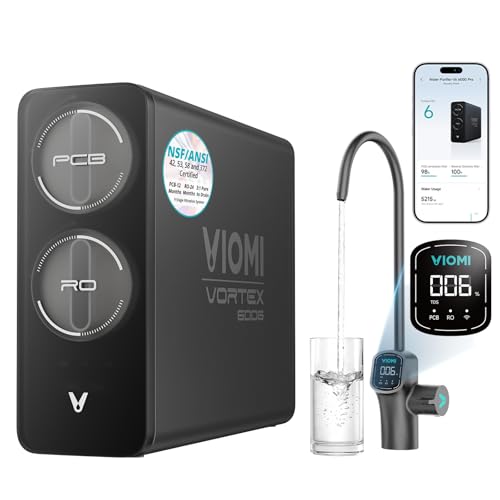
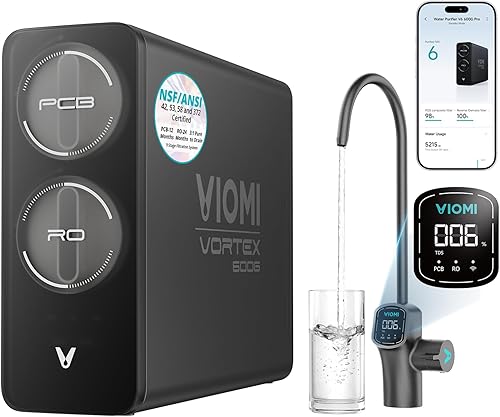
- [Flexible Installation & Refrigerator Compatibility] Need filtered water for your fridge or ice maker? Viomi V6 Pro reverse osmosis water filtration system can supply purified
- [Protecting What Matters Most: Certified Pure Water] The
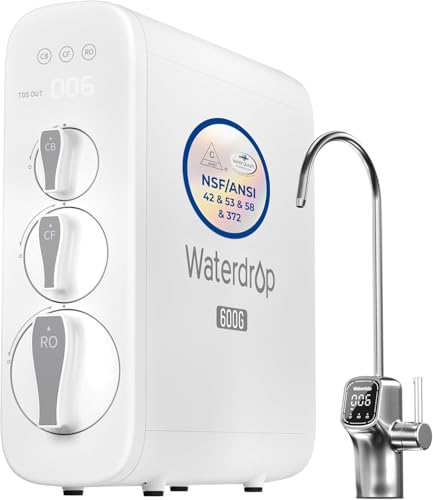
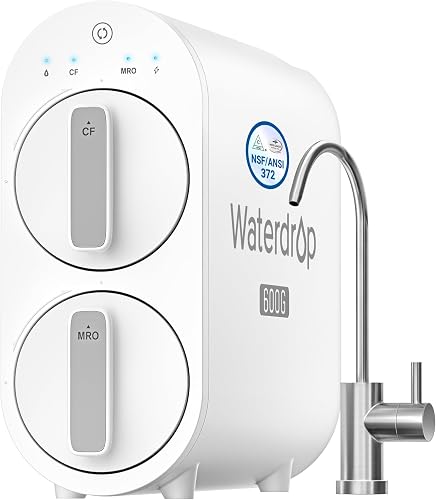
- [Trusted certifications]: Waterdrop G3P600 reverse osmosis system is certified against NSF/ANSI 58 for TDS reduction and NSF/ANSI 372 certified for lead-free material. Also it has
- [8-stage filtration]: Tested by official third-party laboratory (SGS), the reverse osmosis system can effectively reduce TDS, chromium, PFAS, radium, fluoride, arsenic salt, iron
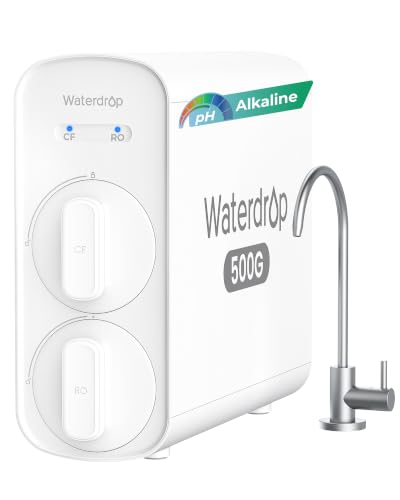
- [8-Stage precise filtration] The reverse osmosis system features an advanced 8-stage filtration process that reduces harmful contaminants such as PFOA, PFOS, chlorine, lead
- [0.0001 μm RO +added minerals] The Waterdrop G5P500A combines a precision 0.0001μm RO membrane with Alkaline mineralization technology, effectively reducing particles larger than
Replacement parts and upgrade paths if the G3 P600 isn't recovering
If you've worked the diagnostic ladder and the system still won't hit acceptable TDS, you're looking at either a membrane replacement, a different Waterdrop model, or a switch to a tank-based system with a separate TDS-trustworthy meter.
Compare: G3 P600 vs. its successors and competitors
| System | GPD | Pure to Drain | Post-Filter TDS Behavior | Best for |
|---|---|---|---|---|
| Waterdrop G3 P600 | 600 | 2:1 | Near-zero (no remin) | Original install replacement |
| Waterdrop G3P800 | 800 | 3:1 | Near-zero | Faster flow, less waste |
| Waterdrop G2P600 | 600 | 2:1 | Near-zero | Budget tankless, no LED faucet |
| VIOMI V6 Pro | 600 | 3:1 | Near-zero | Lower drain ratio alternative |
| Waterdrop G5P700A | 700 | 2:1 | Intentionally raised (alkaline) | Owners who want minerals back |
The faucet TDS sensor itself can also drift after a cartridge swap because air bubbles change conductivity at the probe. Run the unit for 10 minutes continuously and the bubbles clear.
The 6-step flush and diagnosis procedure
Work through these in order before you assume the membrane is dead.
Step 1 — Power-cycle and run a full flush
Unplug the unit for 30 seconds, plug it back in, and let it run a full auto-flush cycle (you'll hear the drain solenoid click). Then dispense water continuously for 5 minutes. Repeat the dispense-flush twice more over the next hour. Most break-in TDS spikes resolve in the first 6–10 gallons.
Step 2 — Measure with a handheld TDS pen, not just the faucet
The G3 P600's built-in TDS display reads at the permeate sensor before the post-carbon mineralization stage on some firmware revisions, and after it on others. A cheap handheld TDS pen ($10–15) measures the actual cup of water you drink. If the handheld reads 40 ppm but the faucet shows 110 ppm, the faucet sensor is the issue — clean the probe with a vinegar-soaked cotton swab.
Step 3 — Confirm filter orientation and seating
Pop each cartridge out and reseat it. The G3 P600 cartridges use a quarter-turn lock; if the arrow on top isn't pointing at the lock icon, the O-ring isn't compressed and feed water is bypassing the media. A loose CF (composite filter) module is the #1 cause of post-install TDS that won't come down.
Step 4 — Check feed water TDS and rejection rate
Measure your tap water TDS, then your filtered water TDS. A healthy G3 P600 membrane should reject 92–98% of dissolved solids. So 400 ppm tap 8–32 ppm RO. If your tap is 600+ ppm (common in TX, AZ, FL well water), even a perfect 95% rejection still gives you 30 ppm — which a TDS-anxious owner reads as "broken." That's a water-quality issue, not a filter issue.
Step 5 — Bypass the remineralization stage to isolate the cause
If you installed the alkaline/mineral post-filter (MRO module with calcite), remove it temporarily and run a plain post-carbon in its place. If TDS drops to 20 ppm, the high reading is intentional remineralization. If it stays high, the membrane is the culprit.
Step 6 — Replace the membrane if rejection is under 85%
The G3 P600's RO membrane is rated for 24 months under normal use, but chlorine exposure (a failed pre-carbon), iron above 0.3 ppm, or hardness above 10 gpg will kill it in 6–12 months. If your rejection rate is below 85% after a full flush and reseating, the membrane is done — and that's true even if you just changed the pre-filters.
Waterdrop G3 P600 — direct replacement
If your unit is past its 1-year warranty and you've narrowed the problem to a dead membrane, the cheapest reliable fix is often a full new G3 P600 rather than a standalone membrane plus labor. The current production batch ships with an updated TDS sensor that handles post-install break-in more gracefully. Waterdrop G3P600 Reverse Osmosis System.
Waterdrop G3P800 — the upgrade for high-TDS feed water
If your tap is 500+ ppm and you're consistently disappointed with G3 P600 numbers, the G3P800 uses a higher-area membrane and 3:1 pure-to-drain, which gives better rejection on hard feed water. It's the same form factor and faucet wiring, so the swap is straightforward. Waterdrop G3P800 Reverse Osmosis System.
Waterdrop G2P600 — budget-tier sibling
For renters or anyone who liked the G3 P600 layout but wants to skip the smart faucet (and its sometimes-flaky TDS sensor), the G2P600 is mechanically simpler and reads closer to ground-truth TDS. Waterdrop G2P600 Reverse Osmosis System.
VIOMI V6 Pro — competitor with 3:1 efficiency
If you're frustrated enough with Waterdrop's TDS sensor behavior to switch brands, the VIOMI V6 Pro uses a separate, calibratable TDS probe and a 3:1 pure-to-drain ratio that wastes less water on the same feed. VIOMI V6 Pro Reverse Osmosis System.
Waterdrop G5P700A — if you want intentional remineralization done right
Some owners chase "low TDS" without realizing they actually want better-tasting water, which usually means added minerals. The G5P700A has alkaline pH+ remineralization built in and its faucet TDS display accounts for it, so the number you see is the number that should be there. Waterdrop G5P500A Alkaline Mineral pH+ Reverse Osmosis Water Filter.
When high TDS after filter change actually means something serious
The Waterdrop G3 P600 high TDS after filter change pattern is benign in most cases, but watch for these red flags that mean you need to stop using the system and troubleshoot urgently:
- TDS climbs week over week instead of dropping after flush. Indicates membrane bypass — a cracked O-ring or hairline split in a cartridge housing.
- Filtered water smells like chlorine. The pre-carbon stage isn't catching chloramine, which will destroy the membrane in weeks.
- Faucet TDS reads 0 — too good. The sensor is shorted or disconnected; you're flying blind.
- Brown tint in the first cup after every filter change. Carbon fines aren't being flushed properly — your auto-flush solenoid may be stuck.
For long-term reliability, regular cartridge changes on schedule matter more than chasing TDS readings. Our guide on maintaining a reverse osmosis system covers the actual maintenance cadence the G3 P600 needs, and our RO filter maintenance walkthrough covers the seating and O-ring checks step by step.
Setting expectations for "good" RO TDS numbers
A lot of the panic around post-install TDS comes from owners expecting bottled-water numbers (1–10 ppm) when they have 600 ppm feed water. Here's what a healthy G3 P600 should produce:
- Feed water 100–250 ppm permeate 3–15 ppm
- Feed water 250–500 ppm permeate 8–30 ppm
- Feed water 500–800 ppm permeate 20–60 ppm
- Feed water 800+ ppm (well water, brackish) permeate 40–100 ppm; consider a softener pre-treatment
Anything in those ranges is working as designed. Numbers above the range after a 10-gallon flush mean a real problem. Numbers below 3 ppm on city water usually mean a calibration drift — the sensor is reading low and your real TDS is higher than displayed. Learn more about what RO filtration actually delivers if you want to recalibrate your expectations.
Frequently Asked Questions
How long should I flush my Waterdrop G3 P600 after a filter change before checking TDS?
Run the system continuously for 5 minutes, then dispense at least 2 gallons in normal use, then wait an hour and dispense another 2 gallons. Most break-in TDS spikes clear within 6–10 gallons total. Don't trust any TDS reading taken in the first 30 minutes after a cartridge swap — air in the lines and carbon fines will both inflate the number by 50–150%.
Is 100 ppm TDS on a brand new Waterdrop G3 P600 filter normal?
It depends on your feed water TDS and whether you installed a remineralization post-filter. If your tap reads 500+ ppm, 100 ppm permeate during break-in is within normal range and will likely drop to 30–50 ppm after a full flush. If your tap is 200 ppm and you're seeing 100 ppm out, something is wrong — usually a poorly seated cartridge or a membrane that wasn't reinstalled correctly.
Why does my Waterdrop faucet show higher TDS than my handheld pen?
The faucet's built-in probe is positioned in flowing water and is susceptible to bubbles, scale buildup, and probe drift. A handheld TDS pen measures a static cup, which is more accurate for a single point reading. If they disagree by more than 20 ppm consistently, clean the faucet probe with a vinegar-soaked swab or recalibrate the unit via the app.
Can I install the G3 P600 cartridges in the wrong order?
The system is keyed so you physically can't swap CF and MRO cartridges in the wrong slots — they have different connector profiles. But you can install a single cartridge upside down or fail to quarter-turn it fully, which causes feed-water bypass and high TDS. Always confirm each cartridge's arrow lines up with the lock indicator and you hear or feel the click.
Does the Waterdrop G3 P600 remineralization filter raise TDS on purpose?
Yes. If you added an MRO mineral or alkaline post-filter, it's engineered to add calcium and magnesium back into the permeate, which raises TDS by 30–80 ppm. This is a feature, not a defect. If you don't want the raised reading, swap to a plain carbon post-filter — but you'll lose the taste improvement.
How often should I change the RO membrane on the G3 P600?
Waterdrop rates the G3 P600 membrane for 24 months, but real-world life depends on your feed water. On softened city water, you'll often get 24–30 months. On hard well water with iron present, expect 12–18 months. The trigger to replace is rejection rate under 85%, not the calendar.
Should I switch to a different RO system if my G3 P600 keeps having TDS issues?
Only after you've replaced the membrane and confirmed all cartridges are seated correctly. The G3 P600 is mechanically reliable; most "TDS problems" are sensor calibration or feed-water expectations issues. If your feed water is genuinely above 800 ppm or you have well water with iron, a higher-capacity unit like the G3P800 or a softener-plus-RO combo will outperform any G3 P600 troubleshooting.