As an Amazon Associate this site earns from qualifying purchases.
To flush Waterdrop G3 P800 after power outage and stagnant water, plug the unit back in, let the LED faucet boot up, then dispense water continuously for 3 to 5 minutes (about 1.5 to 2 gallons) to push out the warm, low-oxygen water sitting in the membrane and post-carbon stages. Discard the first two glasses, repeat the dispense cycle once or twice if the water tastes flat or musty, and check the membrane indicator. If outage lasted longer than 48 hours or the water smells sulfurous, run a full sanitization cycle by removing the post-carbon (T33) cartridge and flushing for 10 minutes before reinstalling.
Why Stagnant Water in a Waterdrop G3 P800 Is a Problem
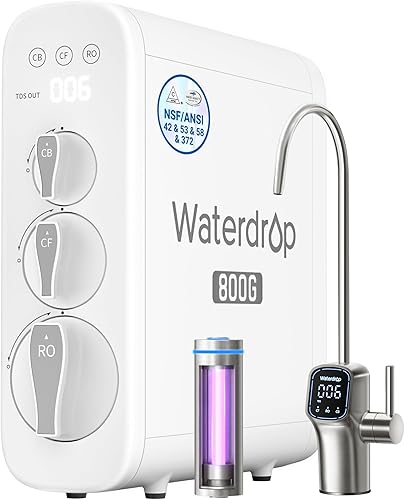
The Waterdrop G3 P800 is a tankless 800 GPD reverse osmosis system that relies on continuous flow to keep its membrane and post-carbon filter sanitary. When the power cuts out, the booster pump stops, the solenoid valves seal, and roughly 200 to 400 mL of treated water sits motionless inside the membrane housing, the TDS sensor chamber, and the coconut shell post-carbon (T33) cartridge. In as little as 12 hours at room temperature, that trapped water loses dissolved oxygen, leaches taste from the carbon block, and creates a hospitable environment for heterotrophic bacteria that were filtered down to safe drinking levels but not eliminated.
The result when you turn the system back on without flushing: a flat, plasticky, sometimes earthy taste for the first few glasses, slightly elevated TDS readings on the smart faucet, and (after multi-day outages) the possibility of biofilm releasing into your first pour. A proper flush solves all of this in under 10 minutes.
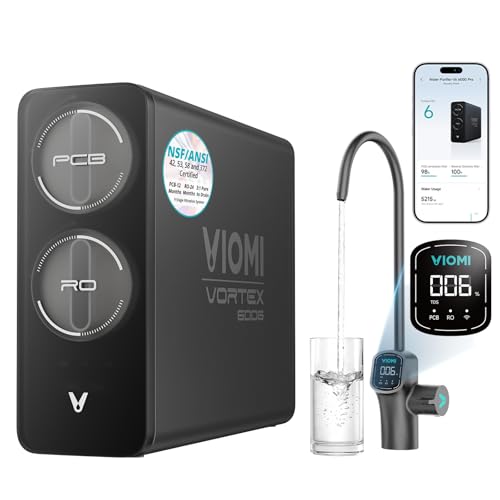
- [Flexible Installation & Refrigerator Compatibility] Need filtered water for your fridge or ice maker? Viomi V6 Pro reverse osmosis water filtration system can supply purified
- [Protecting What Matters Most: Certified Pure Water] The
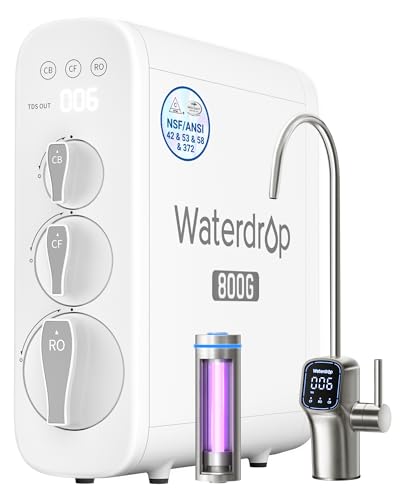
- [10-Stage filtration] Tested by official third-party laboratory (SGS), through 10-stage filtration, G3P800 can effectively reduce PFAS, fluoride, heavy metals like lead, chromium
- [800 GPD high capacity, 3:1 pure to drain ratio] The Waterdrop G3P800 reverse osmosis system offers a higher water capacity (800 gallons per day), thereby meeting demands of a big
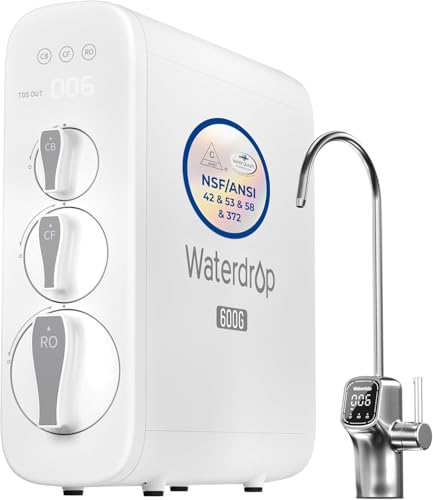
- [Trusted certifications]: Waterdrop G3P600 reverse osmosis system is certified against NSF/ANSI 58 for TDS reduction and NSF/ANSI 372 certified for lead-free material. Also it has
- [8-stage filtration]: Tested by official third-party laboratory (SGS), the reverse osmosis system can effectively reduce TDS, chromium, PFAS, radium, fluoride, arsenic salt, iron
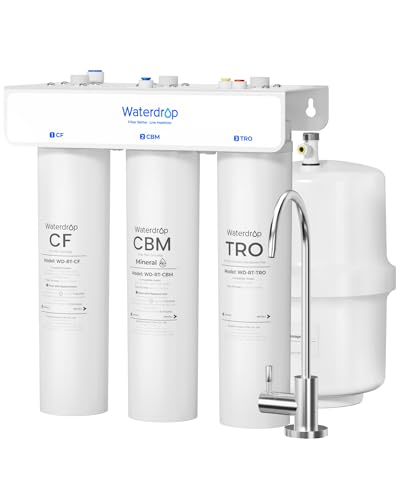
- [𝐏𝐥𝐞𝐚𝐬𝐞 N𝐨𝐭𝐞] Faucet installation requires drilling holes in the countertop
- [220 GPD Faster Flow, Less Waiting] This reverse osmosis water filter system produces up to 220 gallons of purified water per day and can fill five 16.9 oz water bottles in about
Comparison: Post-Outage Recovery Characteristics
| System | GPD | Tank or Tankless | Power Required | Recommended Flush After 24h Outage |
|---|---|---|---|---|
| Waterdrop G3P800 | 800 | Tankless | Yes | 3-5 minutes continuous |
| Waterdrop G3P600 | 600 | Tankless | Yes | 2-3 minutes continuous |
| Waterdrop T3-T | 220 | Tank | No | Drain tank, refill (no outage impact) |
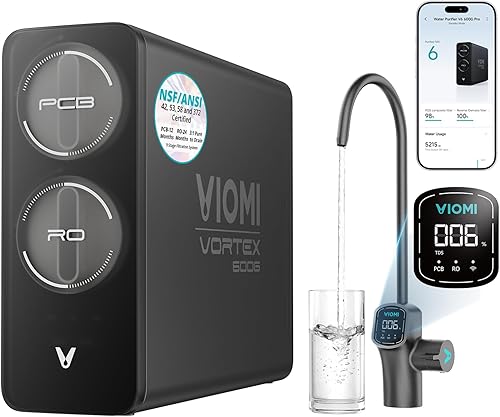
| VIOMI V6 Pro | 600 | Tankless | Yes | 3-4 minutes, app-guided |
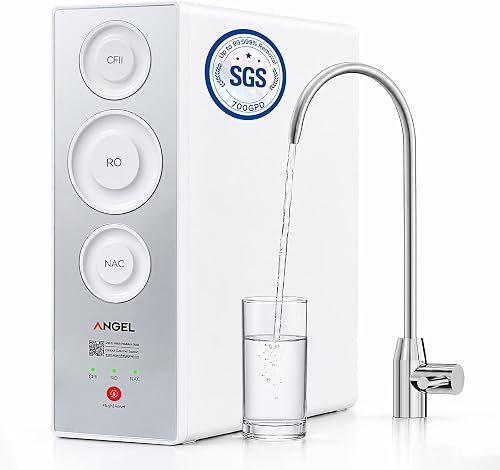
| ANGEL X2 | 700 | Tankless | Yes | 4-5 minutes continuous |
How Long Was the Power Out? Match Your Flush to the Duration
Not every outage demands the same response. Use this scale to decide how aggressive the flush needs to be:
- Under 6 hours: A 60 to 90 second dispense purges the LED faucet line and post-carbon. Taste returns to normal almost immediately.
- 6 to 24 hours: Dispense continuously for 3 to 5 minutes. The water in the membrane housing needs full displacement; expect roughly 1.5 gallons of waste.
- 24 to 72 hours: Run a 5 to 8 minute flush, then dispense another 2 minutes after a 15-minute rest. Check the TDS indicator on the smart faucet — it should drop back into the green within the first minute.
- 72+ hours, or hot weather: Pull the T33 post-carbon, flush the membrane stage for 10 minutes, reinstall the cartridge, then run a sanitization cycle (covered below). Replace the T33 early if the outage exceeded a week.
Step-by-Step: How to Flush Waterdrop G3 P800 After Power Outage
Tools and supplies: a one-gallon pitcher, a sink, and roughly 10 minutes. Do not bypass the system or open the membrane housing for routine outage flushes — it is unnecessary and risks introducing contamination.
- Restore power and verify the LED faucet display. The smart faucet should cycle through self-test colors and settle on a steady blue or green. A red indicator means a filter alert was triggered during the outage — you can still flush, but plan to address it after.
- Run the cold water in the kitchen sink for 30 seconds upstream of the system. This pushes any sediment that settled in your home's supply lines out of the way before it reaches the G3 P800's sediment prefilter.
- Open the RO faucet and let it run continuously into the sink (not the pitcher) for the first 60 seconds. You may hear the booster pump cycle harder than usual — this is the system repressurizing the membrane.
- Continue dispensing for 3 to 5 minutes total. The water will start clear, may briefly carry small air bubbles, and should settle into a steady stream. Watch the TDS readout on the faucet — it typically spikes 10 to 30 ppm during the first minute then returns to baseline.
- Stop, wait 10 minutes, then dispense one full glass and discard it. This catches any final stagnant water that was trapped in the post-carbon chamber.
- Taste-test. Water should be flat-clean, with no plastic, sulfur, or earthy notes. If the taste is still off, repeat steps 4 through 6 once.
Extended Outage Sanitization (72+ Hours)
For multi-day outages, especially in summer, a basic flush is not enough. Here is the deeper procedure:
- Shut off the cold water supply valve under the sink and unplug the unit.
- Open the RO faucet to depressurize the system, then close it once flow stops.
- Twist off the T33 post-carbon cartridge (front-right on the G3 P800). Set it aside on a clean towel.
- Reinstall the empty housing (cap-only) or, if you have a sanitization plug from Waterdrop, install that. Restore power and water supply.
- Open the RO faucet and flush for 10 full minutes. This bypasses the post-carbon and scours the membrane permeate side.
- Shut off, depressurize, and reinstall the T33 cartridge. If the outage was longer than 7 days or the cartridge is past 60% life, replace it now rather than reinstall.
- Run a final 5-minute flush through the complete system.
For broader maintenance context, our guide on maintaining a reverse osmosis system walks through annual schedules that complement post-outage care.
Recommended Products for Waterdrop G3 P800 Owners and Outage-Prone Households
If you live somewhere with frequent or extended outages, a few additions and alternatives are worth considering.
Waterdrop G3 P800 (Replacement or First-Time Buy)
If your current G3 P800 has been through several long outages and shows persistent taste issues even after sanitization, the membrane may be compromised. The full system is sometimes a smarter buy than piecing together replacement parts. The 800 GPD fast-flow design, NSF/ANSI 42, 53, 58, and 372 certifications, and 3:1 pure-to-drain ratio remain category-leading for tankless units. Waterdrop G3P800 Reverse Osmosis System.
Waterdrop G3P600 (Lower-Throughput Sibling)
The G3P600 uses an almost identical flush procedure but has a smaller membrane footprint, so post-outage recovery is faster (about 60% of the waste water). For one or two person households, this is the easier system to manage through outages. Waterdrop G3P600 Reverse Osmosis System.
Waterdrop T3-T (No-Power Backup Option)
If your area suffers truly long outages, a tank-based RO unit that requires no electricity is the safest backup. The Waterdrop T3-T is a 220 GPD remineralization system with a pressurized tank — you keep dispensing during outages, and there is no booster pump to stop. Many G3 P800 owners install one at a secondary tap. Waterdrop T3-T.
VIOMI V6 Pro (Smart Monitoring Alternative)
The VIOMI V6 Pro logs each filter's status through its smart faucet and offers a similar tankless architecture. If you want a system that reports a clear "sanitize me" alert after an outage rather than leaving you to judge by taste, this is the cleaner UX. VIOMI V6 Pro Reverse Osmosis System.
ANGEL X2 700 GPD (PFAS-Focused Alternative)
If your water source is suspect after outages (well water on a flood-prone property, for example), the ANGEL X2 adds tested PFAS reduction to the standard contaminant list. Its membrane is more tolerant of long-stagnation events than older designs. ANGEL X2 Tankless Reverse Osmosis Water Filter System.
Signs Your Flush Was Not Enough
Even a careful flush sometimes misses the mark. Watch for these signals over the 24 hours following power restoration:
- Persistent musty or earthy taste beyond the third glass. Repeat the extended flush procedure.
- TDS reading staying above 30 ppm when your baseline is normally under 15. The membrane may need a longer purge or the TDS sensor needs a wipe-down.
- Cloudy water that does not clear within 60 seconds. Trapped air — usually harmless — but flush another minute to verify.
- Pink or orange ring inside the LED faucet spout. That is Serratia marcescens, an airborne bacterium that loves stagnant carbon. Wipe with white vinegar and complete a full sanitization.
- Reduced flow rate that persists after flushing. The membrane may have collapsed or the prefilter clogged with sediment dislodged during the outage — inspect both.
Preventing Stagnant Water Problems Before the Next Outage
You cannot stop power outages, but you can make recovery painless:
- Keep one gallon of dispensed RO water in a sealed glass jug in the fridge. It buys you a day during a brief outage and lets the system fully stagnate without pressure to use it immediately.
- Set a calendar reminder to flush briefly any time you are away from the house for more than 48 hours. Vacation stagnation is functionally identical to outage stagnation.
- Consider a small UPS for the G3 P800. The booster pump draws around 36W during operation but idles at near zero. A 600VA UPS will keep the system pressurized through outages under 30 minutes — enough to ride out most grid blips.
- Replace the T33 post-carbon on schedule. A fresh post-carbon dramatically reduces taste complaints after any stagnation event.
If you are also weighing larger system decisions for your home, our breakdown on Waterdrop G3 P800 vs AquaTru Classic for well water covers another scenario where outage tolerance matters.
Frequently Asked Questions
How long can water sit in a Waterdrop G3 P800 before it becomes unsafe?
Treated RO water inside the G3 P800 is generally safe to dispense and drink for 24 to 48 hours after a power outage, but the taste will degrade noticeably after 12 hours and bacterial regrowth (while still well below illness thresholds) accelerates after 72 hours. Always flush after any outage longer than 6 hours, and complete the deeper sanitization for outages beyond 72 hours.
Do I need to replace the filters after a long power outage on my Waterdrop G3 P800?
Usually no. The sediment and carbon block prefilters tolerate stagnation fine. The membrane is also resilient. The T33 post-carbon is the only component that may need replacement — specifically if the outage exceeded 7 days, the post-carbon was already past 60% life, or you cannot eliminate a musty taste after two full flushes.
Why does my Waterdrop G3 P800 make loud noises after a power outage?
The booster pump runs harder than normal during the first 1 to 3 minutes after restoration because it is repressurizing the empty membrane housing and clearing trapped air. This is normal and should quiet down within 5 minutes. If clattering or grinding persists beyond 10 minutes, shut off the system and contact Waterdrop support — the pump may have lost prime or the check valve may be stuck.
Should I flush my Waterdrop G3 P800 differently after a planned outage versus an emergency one?
Procedurally, no — the system does not know the difference. However, for a planned outage you can drain the unit beforehand by shutting the water supply and dispensing until flow stops. This eliminates the stagnation problem entirely and reduces flush time to about 60 seconds on restart.
What if I cannot taste anything wrong but worry about bacteria after a 5-day outage?
Run the full 10-minute extended sanitization with the T33 removed, reinstall a fresh T33 cartridge if available, and have a TDS pen handy to verify the membrane is performing at baseline. If you remain concerned, send a sample to a certified lab for heterotrophic plate count (HPC) testing — most local water utilities offer this for under $30.
Does the Waterdrop G3 P800 have a built-in flush mode?
The G3 P800 runs an automatic 18-second membrane flush on power-up and another short flush every two days during normal use, but neither replaces a post-outage manual flush. Manual continuous dispensing for 3 to 5 minutes is the only way to fully displace stagnant water from the post-carbon and faucet line, which the automatic cycle does not address.
Can I drink the first water that comes out after a power outage if I am desperate?
It is not a health emergency for a healthy adult to drink the first glass after a sub-72-hour outage — the taste will simply be off. Immunocompromised individuals, infants, and anyone with a chronic illness should wait until a full flush is completed. When in doubt, use bottled water for the first hour after restoration and let the G3 P800 self-clear.